Get started with the Wolt Drive Web
The simplest way to start delivering with Wolt Drive. No integration, no code, no commitment.
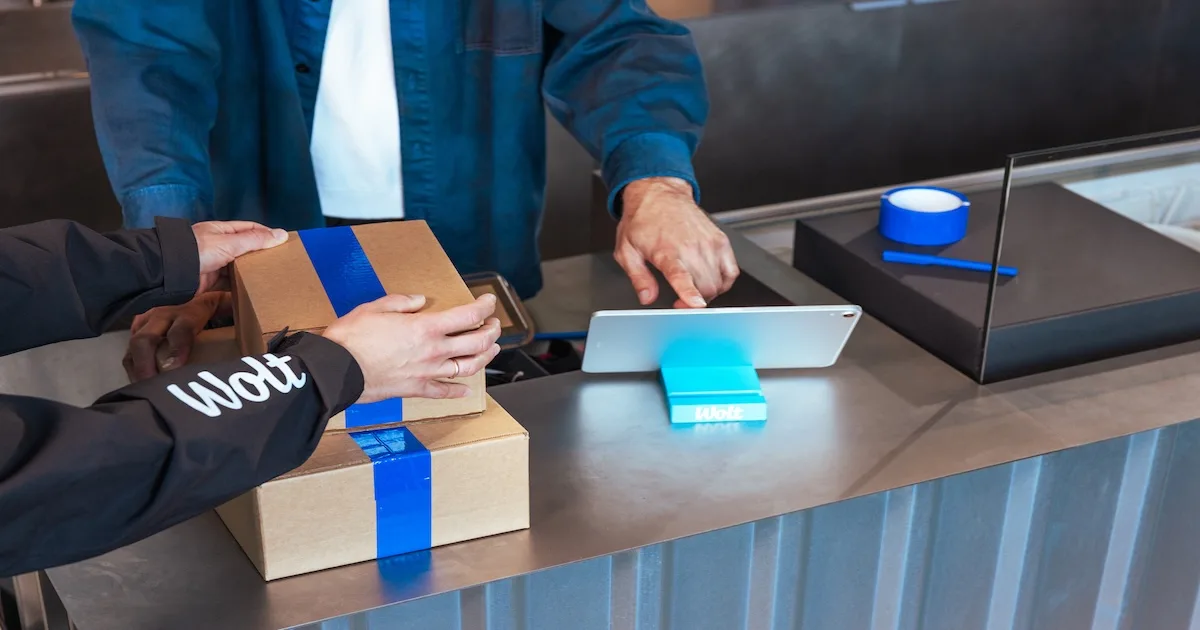
The Wolt Drive Web is a mobile-friendly web interface you can use from any device, with nothing to download or install. If you can fill in a delivery address and a phone number, you can deliver with Wolt Drive.
Overview
- Is the Wolt Drive Web right for you?
- What you need to get started
- Two portals: drive.wolt.com and corporate.wolt.com
- How to create a delivery
- Tracking your delivery
- Need a hand?
Is the Wolt Drive Web right for you?
The Wolt Drive Web is a great fit if you:
Do not have your own delivery fleet and want to start delivering immediately, with no technical setup or investment
Have your own fleet but need extra capacity when it is stretched, unavailable, or at peak demand
Take orders by phone, in person, or over social media and do not have a website or app to integrate
Are waiting for a Wolt Drive API integration or plugin to go live and want to deliver in the meantime
Want a pay-as-you-go option with no hidden fees and no commitment.
If you would rather have delivery built into your online checkout, the Wolt Drive API or an e-commerce plugin may suit you better.
What you need to get started
Very little. To use the Wolt Drive Web you need:
A Wolt Drive account. Your local Wolt Drive team will set this up. You can request access here.
Any device with a browser: laptop, tablet, or phone. There is nothing to download.
The delivery details for each order: where it is going and who is receiving it.
Two portals: drive.wolt.com and corporate.wolt.com
Wolt Drive uses two separate web portals. It helps to know which one to open for which task:
drive.wolt.com is your day-to-day operations portal. Use it to create deliveries, enter recipient details, and track orders live. This is the screen your team will have open during opening hours.
corporate.wolt.com is the back-office portal. Use it to manage your venues and users, set access rights, review your delivery history, and access invoices and reporting.
Depending on your role, you may use one or both. Store operators mostly live in drive.wolt.com; managers and owners also use corporate.wolt.com to oversee locations and check invoices.
How to create a delivery
When an order comes in, here is how to get a courier dispatched:
Log in at drive.wolt.com.
Select New delivery.
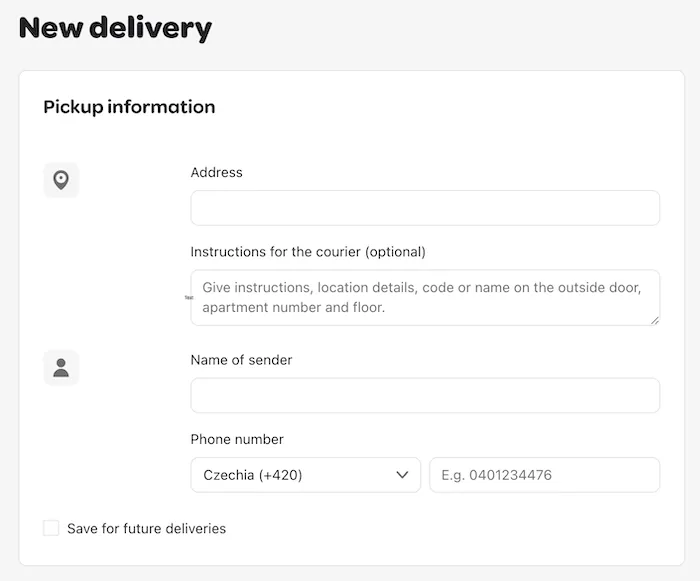
Confirm your pick-up information. This is your location where the courier will collect the order.
4. Fill in the drop-off information:
Address: Enter the recipient's delivery address.
Instructions for the courier (optional): Add anything that helps the courier find the location, such as a door code, floor number, or apartment name.
Name of receiver and phone number.
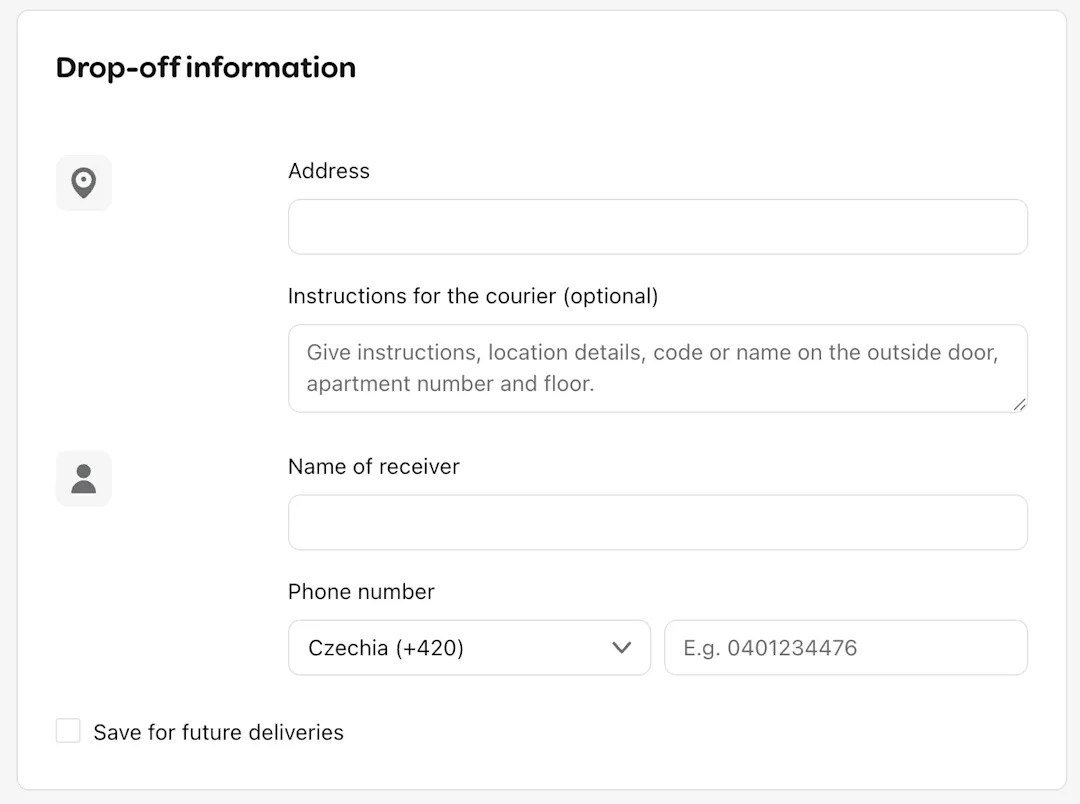
💡Tip: Double-check the phone number. It is how the courier contacts the customer and how the tracking link gets sent.
5. Under Delivery details, choose your delivery time:
As soon as possible: The delivery will be made within the next 60 minutes. If you need a few minutes to prepare the order before the courier arrives, use How much time do you need? to set your prep time.
Schedule for later: Choose a specific time or day for the delivery.
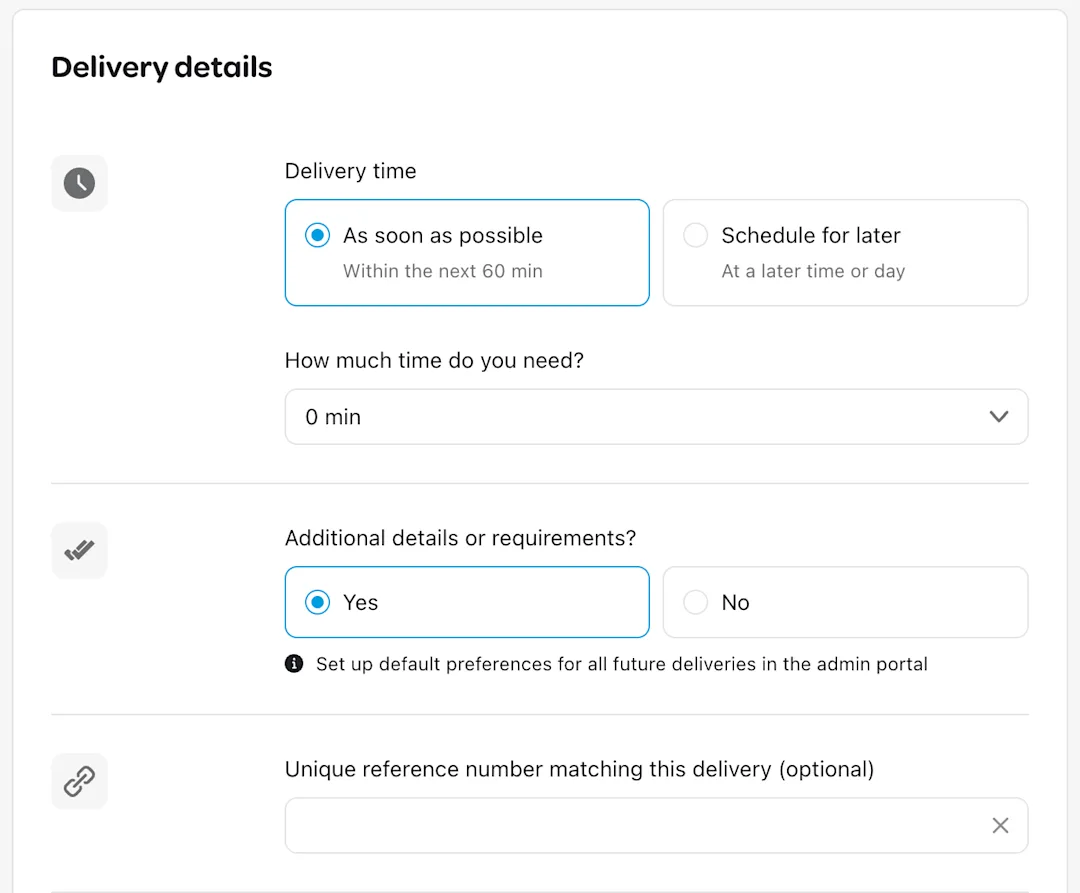
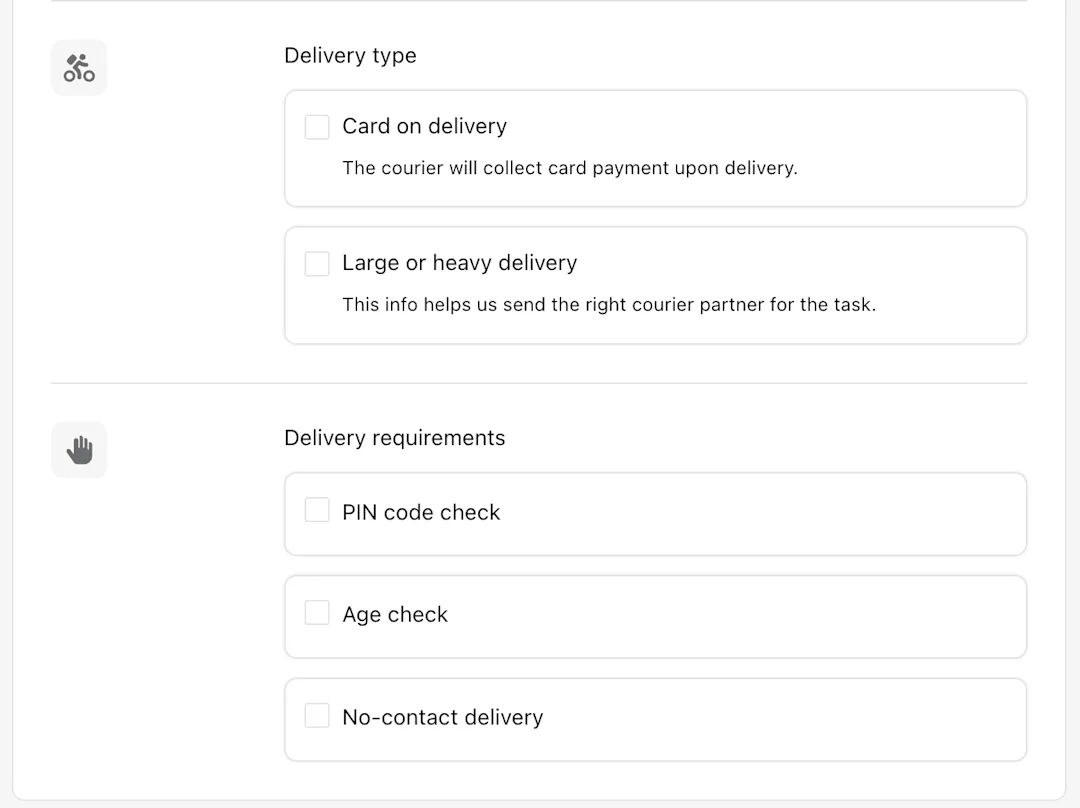
6. If the delivery has any special requirements, toggle Additional details or requirements to Yes:
Delivery type: Choose Card on delivery if the courier needs to collect payment from the customer on arrival, or Large or heavy delivery for oversized or bulky items as this ensures we send the right courier partner for the task.
Delivery requirements: Select PIN code check, Age check, or No-contact delivery as needed.
Unique reference number (optional): Add your own order ID to link this delivery to your records.
7. Confirm the request. A courier is dispatched to collect from you.
💡 Good to know: As soon as possible deliveries typically arrive in under an hour. If you schedule ahead, your customer still gets the same automatic tracking link, so you can confidently commit to a delivery time.
Tracking your delivery
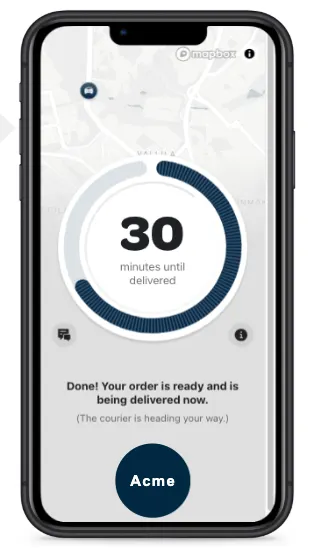
Once a delivery is on its way, your customer automatically receives a live tracking link showing the courier's location and estimated arrival time. You can follow the same status from drive.wolt.com. Once the order is handed over, you will receive a delivery confirmation so you always know when an order is complete.
Need a hand?
If you have questions or run into anything, the Merchant Support team is available via chat. 96% of chats are rated 'excellent', with response times typically under a minute. You can reach them any time through corporate.wolt.com.